
Register a Client App
Before you can begin using the APIs, you must register an App. The App is used to uniquely identify the caller to an endpoint. After the App is registered, the App has an assigned Client ID and Client Secret. The Client ID is a public and unique identifier that will be used to identify the client application as an application. The Client Secret is a private identifier kept secret between the App and the API. The Client Secret is used to authenticate the App when it makes a request for an access token.
To Register an App:
- Log in to EBSCO Developer by clicking the Log In link in the upper right hand corner.
- Click on My Apps in the top navigation.

- Click the Add a New App button at the top of the page.
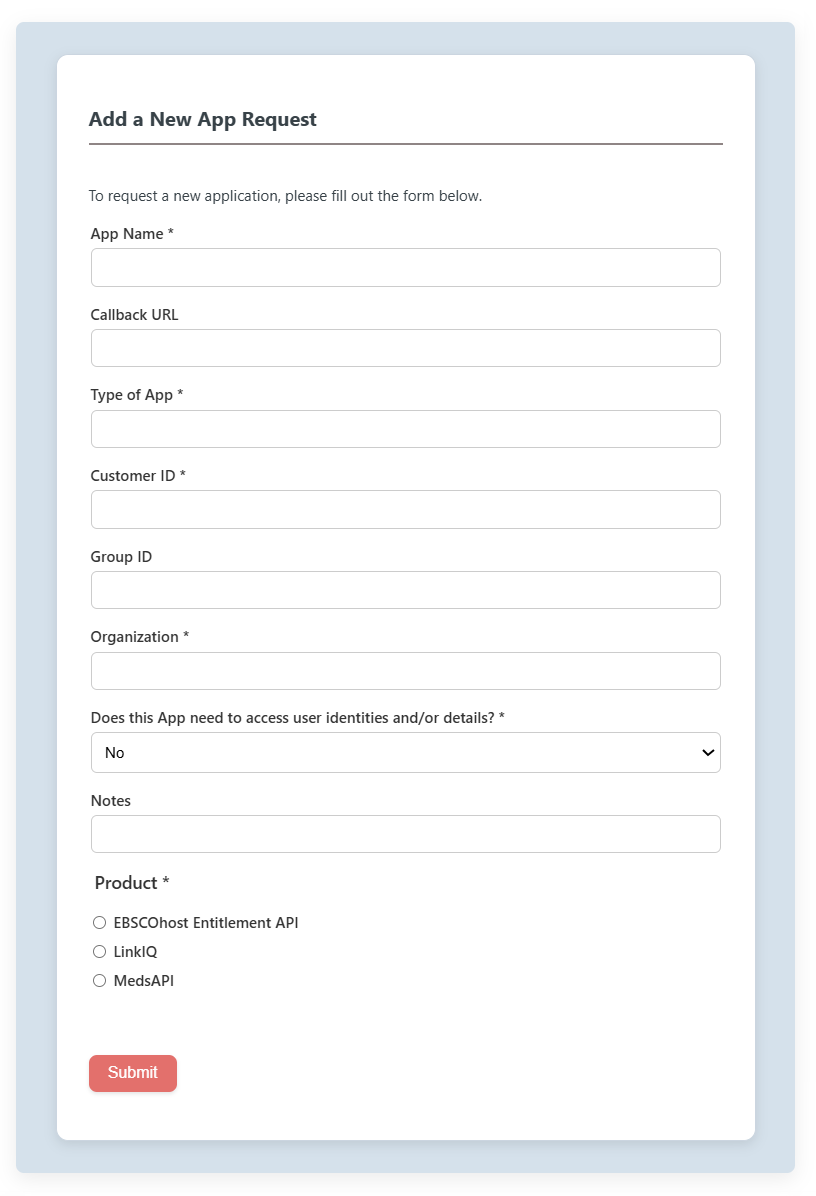
A form will appear.
-
Enter the App Name in the field provided.
-
Enter the Type of App in the field provided. Examples are web or service.
-
Enter your Customer ID in the field provided.
-
Enter your Organization in the field provided.
-
Specify if the App needs access to user identities or details.
-
Choose the product desired.
-
Click the Submit button. A "Thank You" message appears.
-
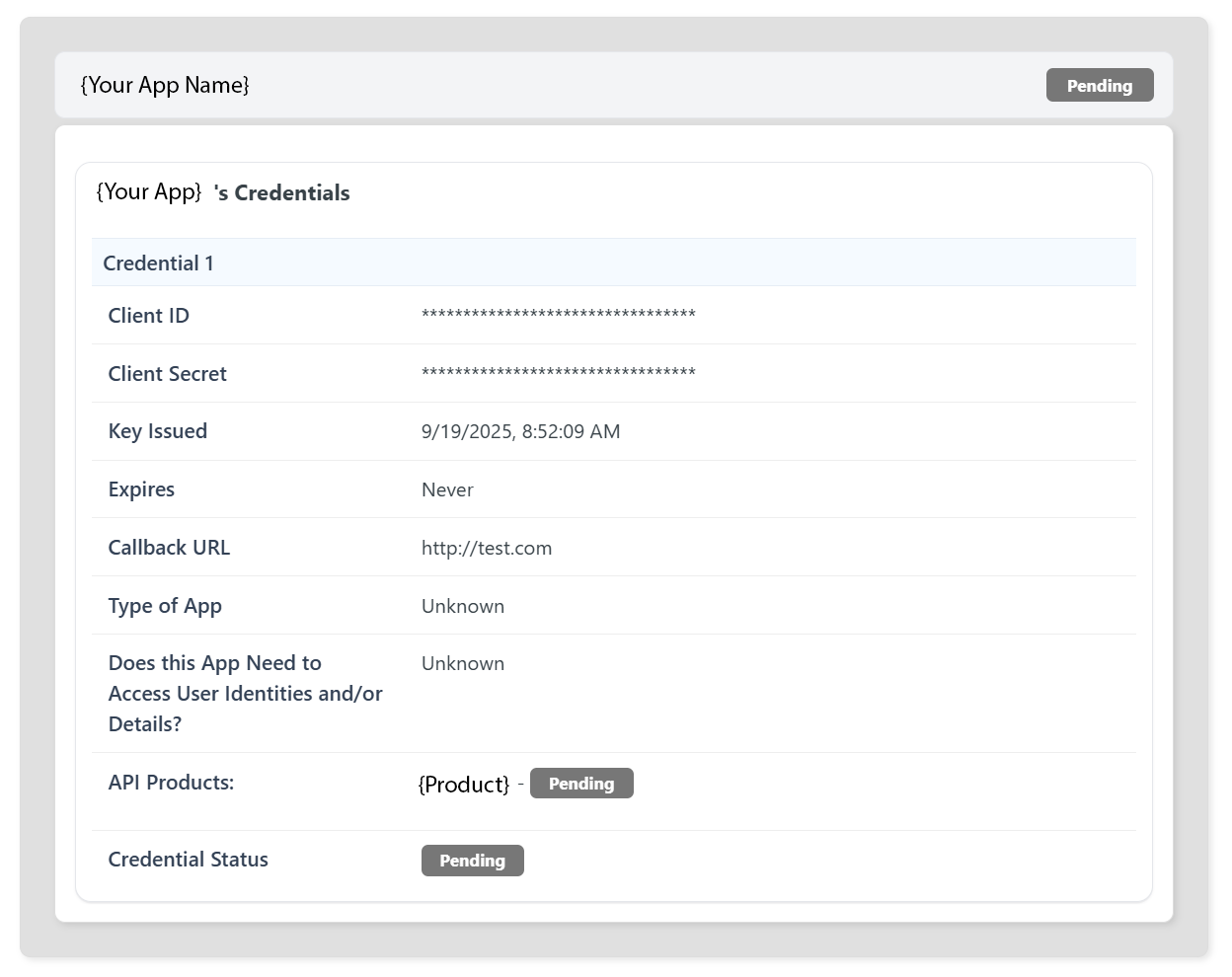
Click My Apps in the top navigation to see your new App listed. Your new App will be Pending until your information has been reviewed and approved. You will receive an email once your App has been Approved.
-
Log in to EBSCO Developer once you receive your App Approval email.
-
Navigate to the My Apps page. The App status for your new App will show as Approved.
-
Click on the name of your application in the list. The Credentials section is displayed. Your application credentials, the Client ID and the Client Secret, are listed.
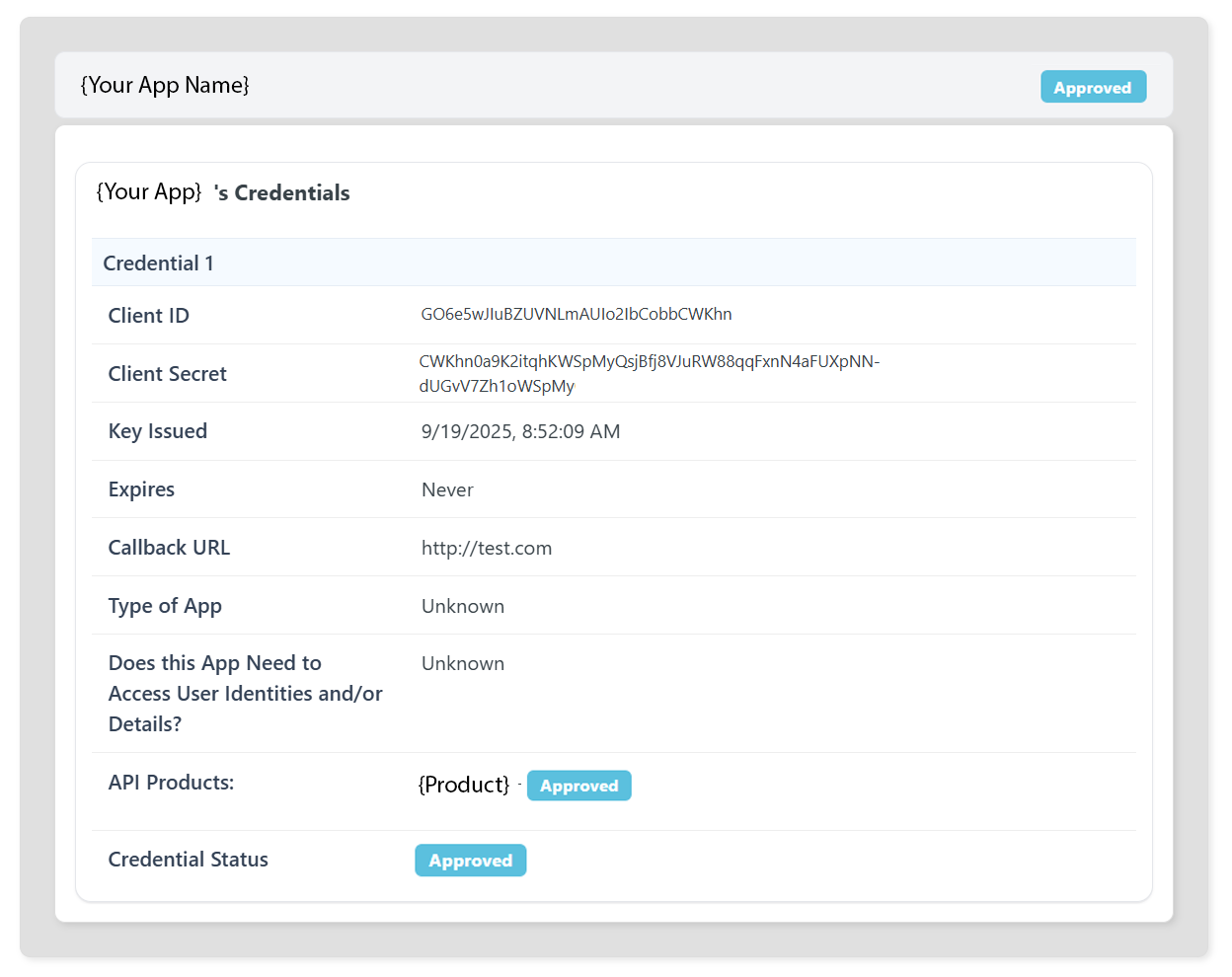
- Make note of the Client ID and Client Secret for the App. Please use the Client ID and the Client Secret in the OAuth 2.0 process.
Updated 8 months ago